DBS statement PDF to Excel, every row checked.
Singapore DBS accounts, one row per transaction, every balance checked against the statement. The PDF is deleted the moment the file is ready.
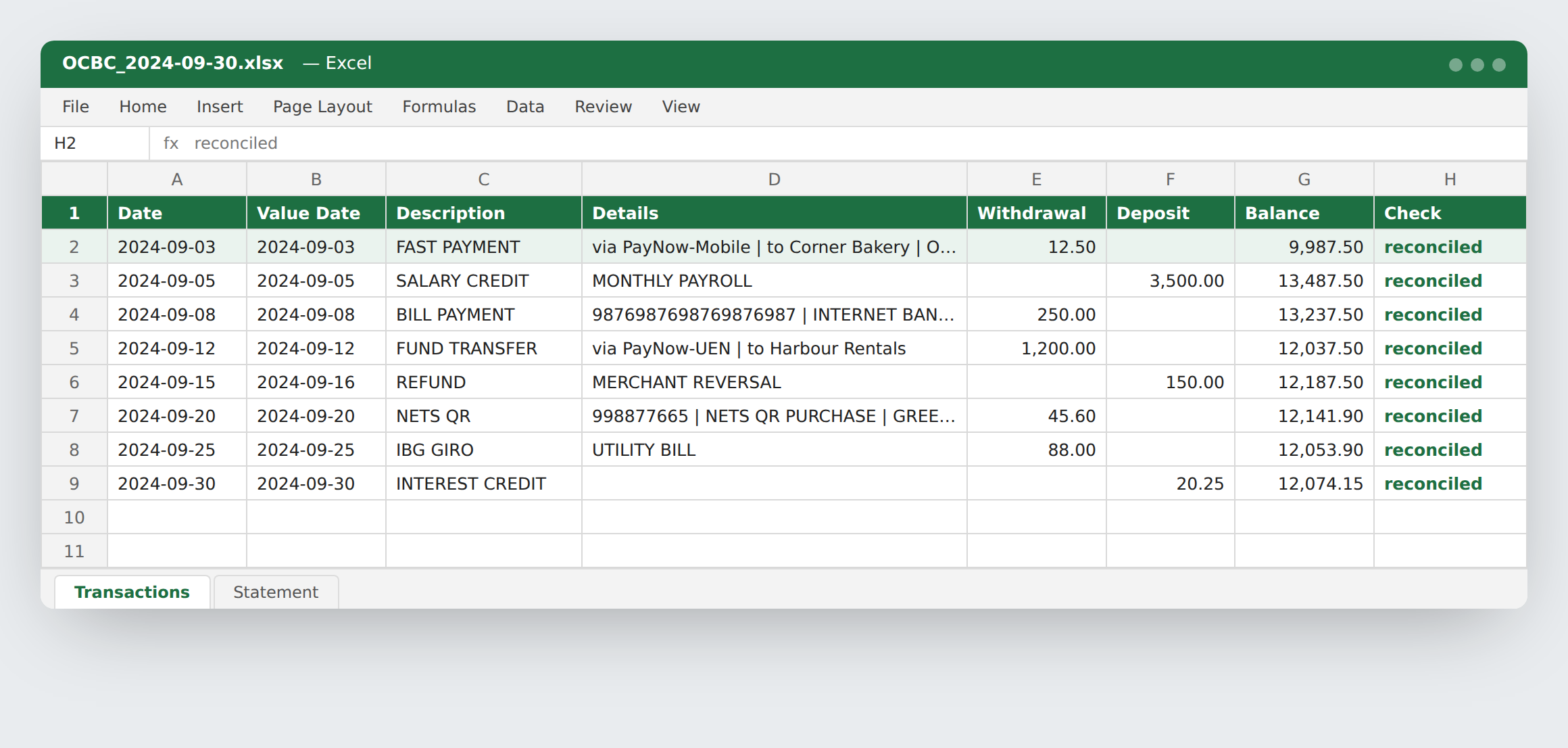
| Date | Description | Out | In | Balance | Check |
|---|
- Processed in Singapore
- PDF deleted in seconds
- No account
- No trackers or ads
- How we handle files →
Works with UOB, DBS, POSB, OCBC and Maybank accounts, credit cards from eight issuers, and scanned statements. First conversion each month is free; no account.
The check, running on a sample statement
Each printed line becomes a row. The balance is recomputed from the opening figure and compared with the bank's own figure before the row is accepted.
Replay| Date | Description | Out / In | Balance | Check |
|---|
What you get
One row per transaction with the bank's own balance beside it, a Check column, and a second sheet with the account, period, opening and closing balances and totals. On a 125-transaction UOB statement, that is 125 balance checks before the file is yours.
Credit card statements have no running balance, so the check is on the total: previous balance plus charges minus payments must equal the new balance on the statement.
What is stored, and what isn't
Never stored
- Your PDF: deleted before the file is sent to you
- Anything inside it: names, addresses, account numbers, amounts
- The spreadsheet: sent to you, not saved here
- Cookies, trackers or third-party scripts
The only things stored
- A scrambled code made from your connection, for counting visitors and the free monthly conversion (it cannot be turned back into your address)
- Which bank's layout was converted, and whether it worked
- Your purchase key and the conversions left on it
The full privacy page says the same thing at more length.
Supported statements
| Statement | Tested on | Status |
|---|---|---|
| UOB Singapore | One Account, Uniplus, Stash, current and savings accounts | Dedicated parser |
| DBS Singapore | Multiplier, Savings Plus, eMySavings, consolidated statements | Dedicated parser |
| POSB Singapore | Passbook Savings, SAYE, everyday accounts | Dedicated parser |
| OCBC Singapore | 360 Account, FRANK, Bonus+ and statement savings accounts | Dedicated parser |
| Maybank Malaysia | Savings Account-i, Basic Savings, current accounts | Dedicated parser |
| Credit cards | DBS, OCBC, UOB, Maybank, HSBC, Citibank, Standard Chartered, American Express | Dedicated parser |
| Scanned or photographed PDFs | Any of the above, read by OCR and then reconciled | Beta |
| Other banks | Standard Date / Description / Debit / Credit / Balance layouts (CIMB, RHB, Public Bank, Hong Leong, Standard Chartered, Citibank, HSBC accounts) | Best effort |
A failed conversion is never charged. To get a bank added, send one statement with the name, address and account number blacked out to daniel@getrowcheck.com; the layout is all that's needed, and it is usually supported within days.
Output formats: Excel (.xlsx, with a Statement summary sheet), CSV, Xero import CSV, QuickBooks CSV, OFX and QBO. Up to 12 statements per upload with a pack. API for firms.
DBS specifics
Tested on Multiplier, Savings Plus, eMySavings, consolidated statements. Handles both the savings-account layout and the consolidated statement layout; balance brought/carried forward rows.
How to get your DBS statement PDF
- Log in to DBS digibank (the app or the website).
- Find eStatements: on the website under My Accounts, in the app under the More menu.
- Choose the account and the month, then download the PDF. A consolidated statement puts every account on one PDF.
- Upload it here. Several months at once is fine; each becomes its own file inside a zip.
What a DBS statement looks like, and what RowCheck does with it
DBS statements show Date, Transaction details, Withdrawal, Deposit and Balance, with Balance Brought Forward at the top and Balance Carried Forward at the bottom. RowCheck uses those two lines as the opening and closing checks, so a statement either reconciles end to end or tells you exactly which row broke the chain.
DBS questions
digibank already lets me download transactions as CSV. Why convert the PDF?
The CSV download covers recent transactions. For earlier months the eStatement PDF is usually the only record you have, and it is the PDF that carries the bank's printed balances, which is what gets verified here.
My consolidated statement has several accounts on it (Multiplier, a savings account, SRS).
Each account's transaction section is read on its own and reconciled against its own balances. Sections that are summaries only, such as SRS holdings, contain no transactions and are left out.
Does the same thing work for POSB?
Yes. POSB statements use the same layout and the same reader. There is a separate POSB page if you prefer, but either works.
Is the DBS Multiplier bonus interest shown?
Yes, as a credit row with DBS's own wording. It is reconciled like any other row.
Related guides
Compared with the other ways people do this
| RowCheck | Excel “Get Data from PDF” | Asking a chatbot | Typical online converter | |
|---|---|---|---|---|
| Every row checked against the bank's balance | Yes, and flagged if it fails | No | No | Rarely |
| Multi-line PayNow / FAST descriptions kept as one row | Yes | No, split into rows | Usually | Varies |
| Knows UOB, DBS, POSB, OCBC, Maybank layouts | Yes | No | Guesses | Some |
| Account or sign-up needed | No | No | Yes | Usually |
| Your statement after conversion | Deleted in seconds | Stays on your PC | May be retained or used for training | Check their policy |
| Cost | First free, then from S$0.40 | Included in Microsoft 365 | Subscription | Subscription, often US$20+/month |
Columns other than RowCheck describe what is typical, not any one product; read the guides on Excel and ChatGPT for the detail.
Pricing
| First statement each month | Free | No account, no card |
| 10 statements | S$9 | S$0.90 per statement, never expires |
| 50 statements | S$29 | S$0.58 per statement, never expires |
| 250 statements | S$99 | S$0.40 per statement, never expires |
Paid at checkout through Stripe; you receive a key to paste into the converter. Failed conversions are not charged. Refund of unused credits within 14 days.
Questions
Is my statement stored anywhere?
No. It is held in memory for the conversion, touches a temporary file for a fraction of a second so the text extractor can read it, and is deleted before the response is sent. Nothing from inside it is logged.
Why not just paste it into a chatbot?
You can, and the result is usually close. The two differences: a chatbot doesn't check its own figures, so a wrong amount looks exactly like a right one, and most keep your upload.
What does a flagged row mean?
The recomputed balance didn't match the bank's printed balance at that row. Usually it's a layout quirk we haven't seen or, on a scan, a misread digit. The row is kept with its flag so you can check it against the PDF.
Does it work with scanned statements?
Yes, as a beta. The scan is read by OCR, then parsed and reconciled like any other statement; a misread digit fails the balance check and is flagged. Bank-generated PDFs are still more reliable.
Can I convert a whole year at once?
With a pack key, drop up to 12 PDFs together and you get a zip, one credit per statement. Each month's opening balance should equal the previous month's closing balance, which is a quick way to confirm nothing is missing.
Can I import straight into Xero or QuickBooks?
Yes. Choose Xero CSV, QuickBooks CSV, OFX or QBO as the format and the file matches their import templates.
Do I need an account?
No. The free conversion needs nothing. A paid pack gives you a key at checkout; paste it into the key field. No login, no subscription.